
Modules
Timetable
The Timetable in Teetsh allows you to organise your weekly teaching schedule and use it as a foundation for your day-to-day planning.
It helps you:
- structure your school week,
- visualise teaching times for each subject or learning area,
- reuse your timetable across your daily plans.
Why use the Timetable?
In Teetsh, the timetable is more than a visual schedule.
It acts as a planning reference that can be reused throughout the platform.
Once created, your timetable allows you to:
- quickly add sessions to your daily schedule,
- maintain consistency across your planning,
- adapt your organisation when your week changes.
Creating your timetable
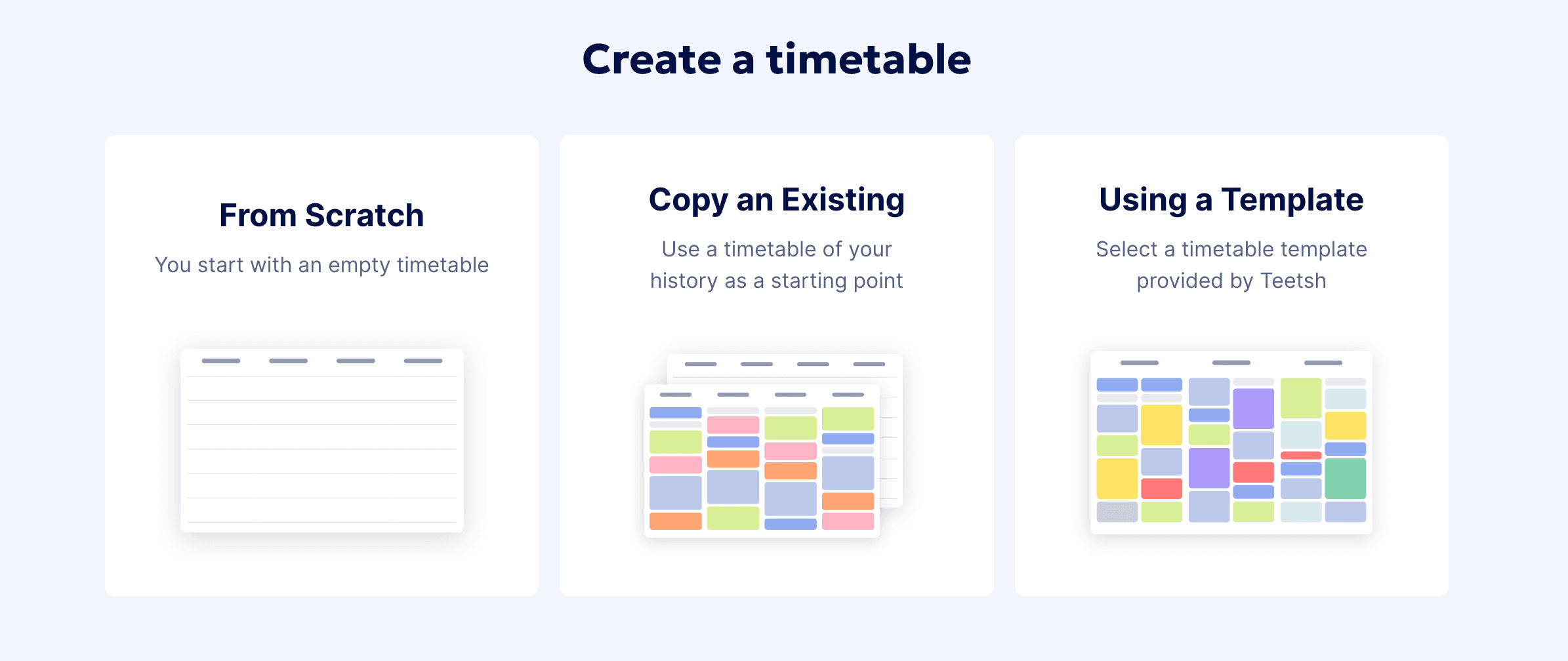
You can create your timetable in Teetsh in the way that suits you best. When getting started, you have three options:
• Start from scratch to build a timetable that fully matches your context
• Copy an existing timetable to reuse a previous setup and make small adjustments
• Use a template to save time — templates can be filtered by year level, so you can quickly find one that fits your class
Whether you start from scratch or customise a template, you stay fully in control of your timetable structure.
Build your timetable step by step
1. Define your school days and time slots
Set up your school week and create the time slots that reflect your daily schedule.
2. Add teaching blocks
Add subjects, learning areas, or activities to build your teaching blocks.
3. Adjust durations and placement
Fine-tune durations and move blocks around to match your real classroom organisation.
You can also define key elements such as school days, time slots, teaching blocks, and durations at any time — even after your timetable has been created.
The timetable is fully flexible and can be edited whenever your schedule changes.
Customising your timetable
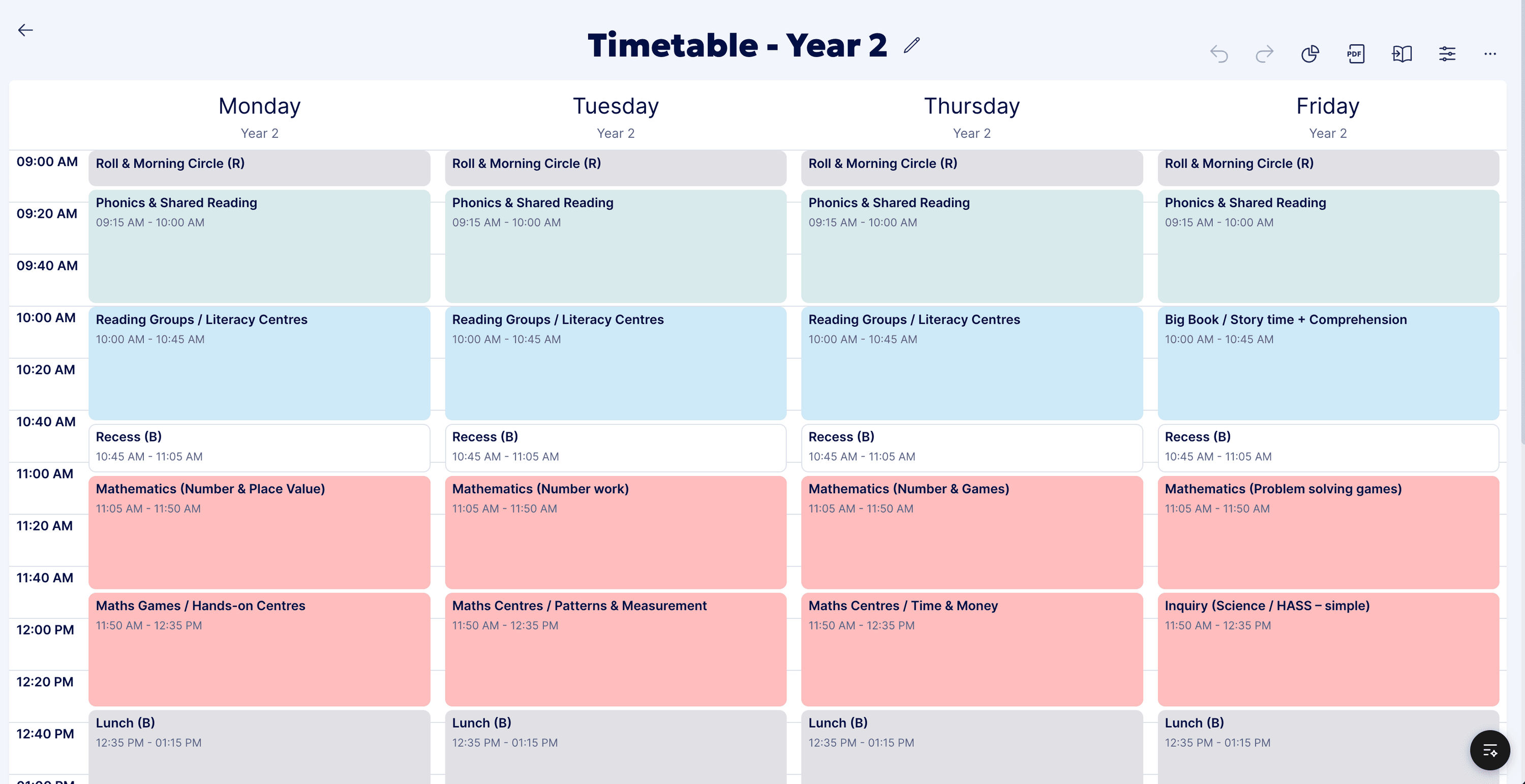
Each time slot can be customised to reflect your teaching reality.
For example, you can:
- name blocks according to your subjects or learning areas (e.g. English, Mathematics, HASS),
- adapt time slots to match recess, lunch or specialist sessions,
- organise your week visually in a way that feels clear and readable.
Using the timetable in your daily planning
Once your timetable is set up, you can reuse it when planning your days.
From your timetable, you can:
- retrieve teaching blocks directly into your daily schedule,
- save time by avoiding repetitive setup,
- ensure consistency between your weekly organisation and daily lessons.
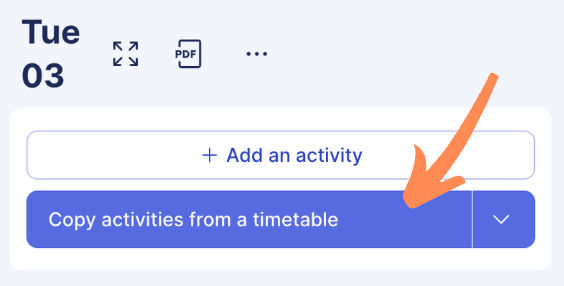
This makes your planning faster and more aligned with your actual teaching rhythm.
Editing or updating your timetable
Your timetable is designed to evolve with you and can be updated at any time during the year.
Whether you’re adjusting your routine for a new term or making small day-to-day changes, you can easily:
• edit existing teaching blocks
• move or resize time slots
• reorganise your week without starting over
Customise your view and settings
To make editing easier, you can adjust the timetable display using the available settings:
• switch between daily and weekly views
• change start and end times
• zoom in or out to focus on specific parts of the day
These options help you visualise your schedule in the way that works best for you.
Manage your hourly volume
You also have access to the hourly volume by subject or learning area.
If the distribution doesn’t match your intended allocation, you can easily edit it to ensure your teaching hours align with your original planning and curriculum requirements.
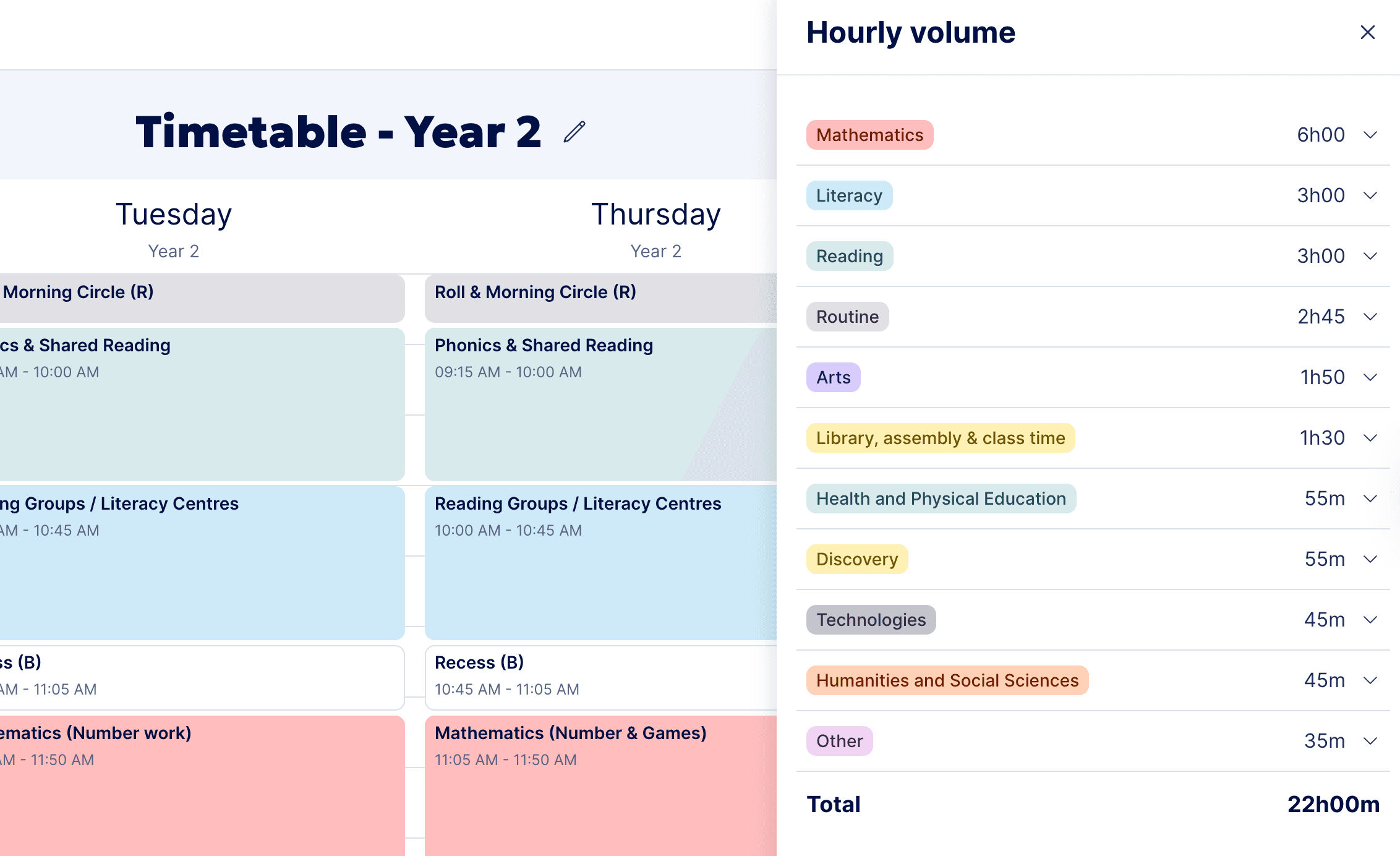
All changes are automatically saved and will be reflected the next time you reuse this timetable in your planning.
Good to know
- You can adjust your timetable as often as needed.
- The timetable is designed to support different teaching contexts and school organisations.
- It serves as a base structure, not a constraint: your daily plans remain fully flexible.